

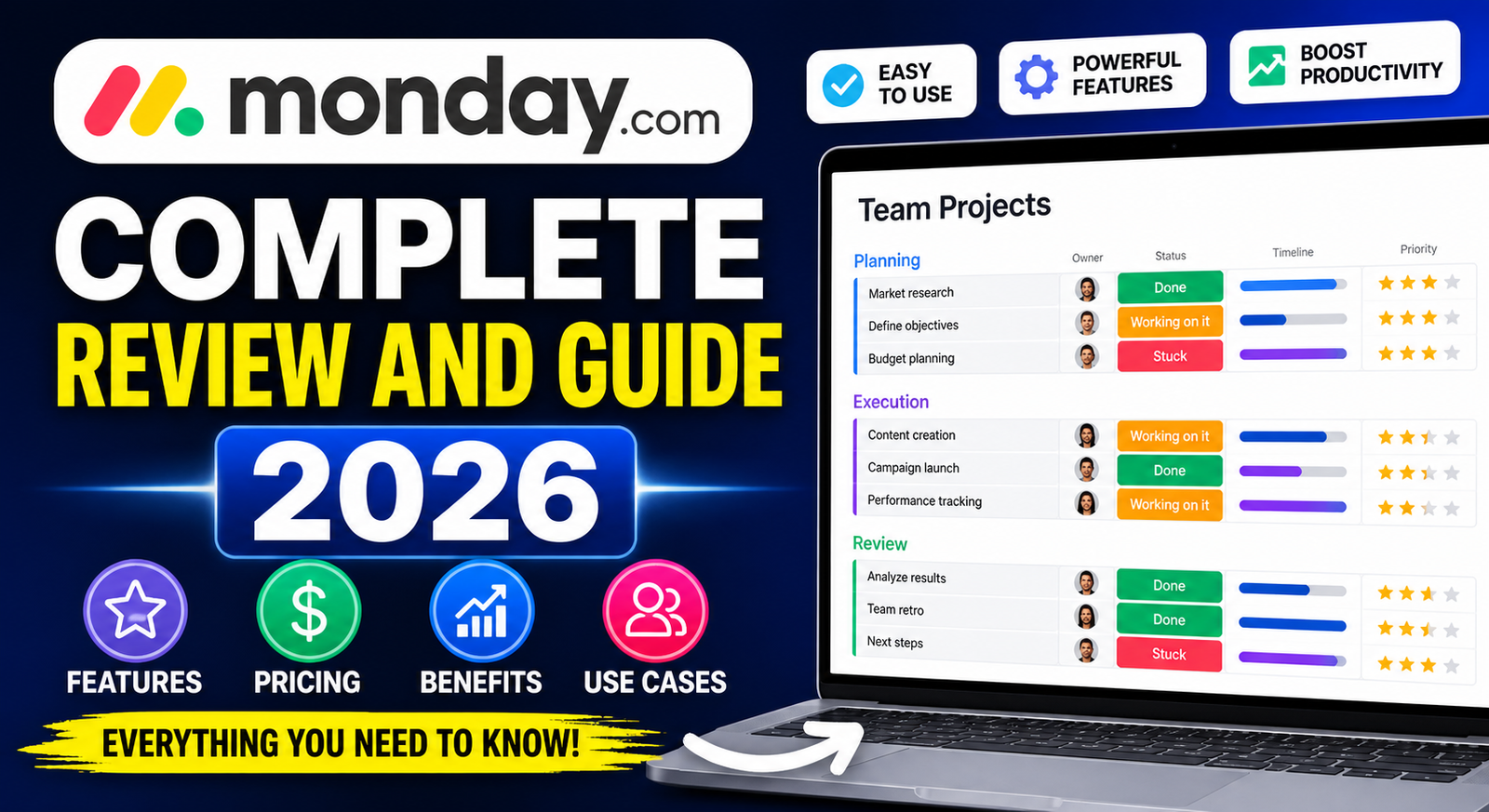
Monday.com Complete Review and Guide 2026 – Features, Pricing, Benefits, and Use Cases
Introduction
In the current dynamic corporate landscape, companies require effective methods to control projects, groups, deadlines, communication, and workflows. Be it a freelance business, a startup firm, small businesses, or corporations, organization is critical for any success. This is where Monday.com comes in.
Monday.com is among the top-rated work operating systems (Work OS) across the globe. It helps teams arrange their activities, plan projects, automate workflows, and enhance collaboration. The platform provides a highly flexible solution for various industries and organizations.
Whether your team comprises marketers, developers, human resource managers, salespeople, or customer service representatives, Monday.com enables you to create a common workspace.
This comprehensive guide will introduce you to all aspects of Monday.com, from its capabilities, cost structure, benefits, applications, advantages and disadvantages, and how it continues to be an indispensable productivity tool in 2026.
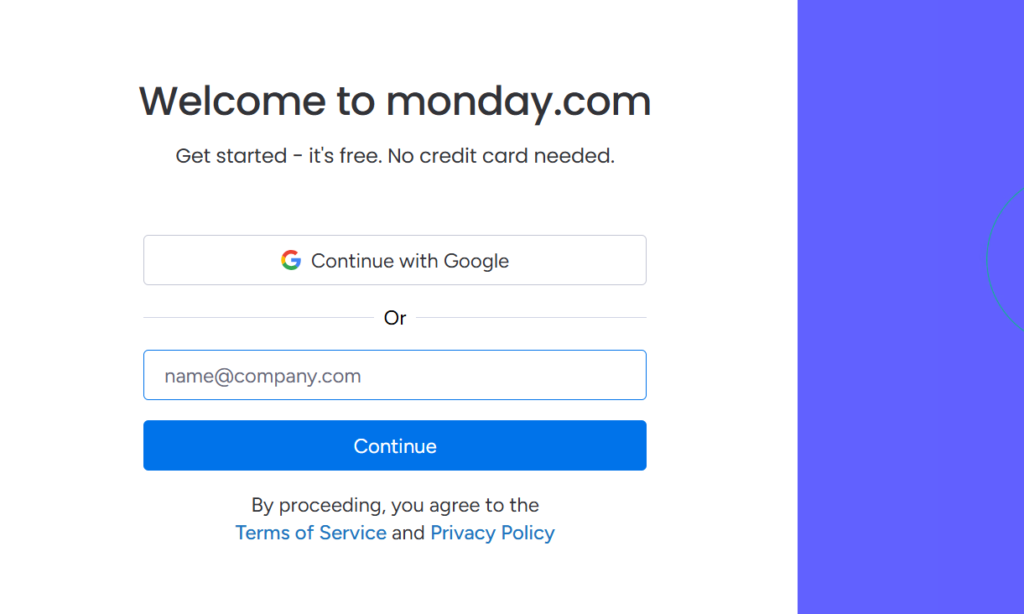
What Is Monday.com?
Monday.com is an online application for managing projects and automating workflows. It offers a set of tools for organizing work and collaborating with other employees. Monday.com lets you make boards, assign tasks, follow up on the progress of tasks, exchange files, automate routine operations, and track key performance indicators in real-time.
Monday.com was founded in 2012 and since then has become quite a popular solution among businesses from various sectors. The platform is known for its bright design, flexibility, and intuitive dashboard.
In contrast to typical project management tools, Monday.com does not presuppose a fixed workflow. Rather, it is a flexible tool that can be adapted to fit specific business needs.
Typical applications for Monday.com include but are not limited to:
- Project planning
- Collaboration within teams
- Sales funnel monitoring
- Customer relationship management
- Campaign management in marketing
- HR-related processes
- Development of new products
- Planning events
- Managing content creation process
The platform is appropriate for both small businesses and large companies.
How Does Monday.com Function?
Monday.com is based on a visual board concept. The board is essentially an online workspace where users manage information and workflows.
The board includes groups, items, columns, and updates sections.
Boards
A board is the primary workspace within Monday.com. Users make boards for their projects or processes.
For example:
- Board for marketing campaigns
- Sales monitoring board
- Onboarding employees board
- Product roadmap board
- Groups
Groups divide tasks into categories.
For instance:
- To-do list
- In-progress list
- Completed list
- Items
An item is a specific task or project.
For example:
- Create a website banner
- Reach out to potential clients
- Generate a monthly report
- Columns
Columns consist of data related to each task.
For instance:
- Task status
- Task priority
- Deadline for completion
- Assignee
- Task budget
- Timeline
- Updates Section
This section enables team members to communicate, provide feedback, exchange files, and discuss task progress.
Main Characteristics of Monday.com
Monday.com has various useful features which enhance business management and organization.
1. Visual Project Management
One of the best characteristics of Monday.com is visualization.
The user can visually assess the project using the following tools:
- Kanban boards
- Timelines
- Calendars
- Gantt charts
- Workload charts
- Dashboards
2. Automation
Automation minimizes routine operations.
Some examples of automation used in Monday.com are:
- Notifying team members about upcoming deadlines
- Updating the status of the task completed
- Automatic assignment of tasks
- Reminders
- Email alerts
With the automation, businesses can optimize their activities.
3. Collaboration Tools
The application allows better collaboration.
The following collaboration tools are included in Monday.com:
- Commenting
- Mentioning
- File sharing
- Notifications
- Activities feed
4. Dashboards Reporting
The dashboards provide visual reporting and analytics.
The following can be tracked by dashboards:
- Performance
- Budget utilization
- Timeline
- Load distribution
- Revenue performance
5. Customizable Templates
Monday.com includes numerous templates.
Here are some samples:
- Template for marketing plan
- CRM template
- Project tracking
- Employee onboarding
- Events planner
6. Third-Party Integration
Third-party integrations are supported in Monday.com.
Some examples of integration tools are:
- Slack
- Zoom
- Google Drive
- Gmail
- Microsoft Teams
- Dropbox
- HubSpot
- Salesforce
- Trello
- Zapier
7. Mobile App Accessibility
Monday.com offers a mobile app on the Android and iOS platforms.
Users have access to the following options:
- Manage tasks
- Notifications
- Deadlines
- Collaboration
- Upload documents
Advantages of Using Monday.com
Using Monday.com is beneficial for many reasons.
Better Organizing
Projects and tasks are all put together in one place.
Individuals will not be confused with spreadsheets and emails.
Enhanced Collaborations
Team members can talk through the platform.
There are fewer meetings because there is less confusion.
Higher Efficiency
There is automated task management.
Individuals will spend less time on tasks that are repetitive.
Increased Transparency
All team members can track the progress of projects.
The manager can check the progress.
Scalability
Monday.com caters to both small and big businesses.
Businesses can add more workflows without changing software.
Flexible Customization
The software is flexible for different industries.
People can customize the workflows for their business.
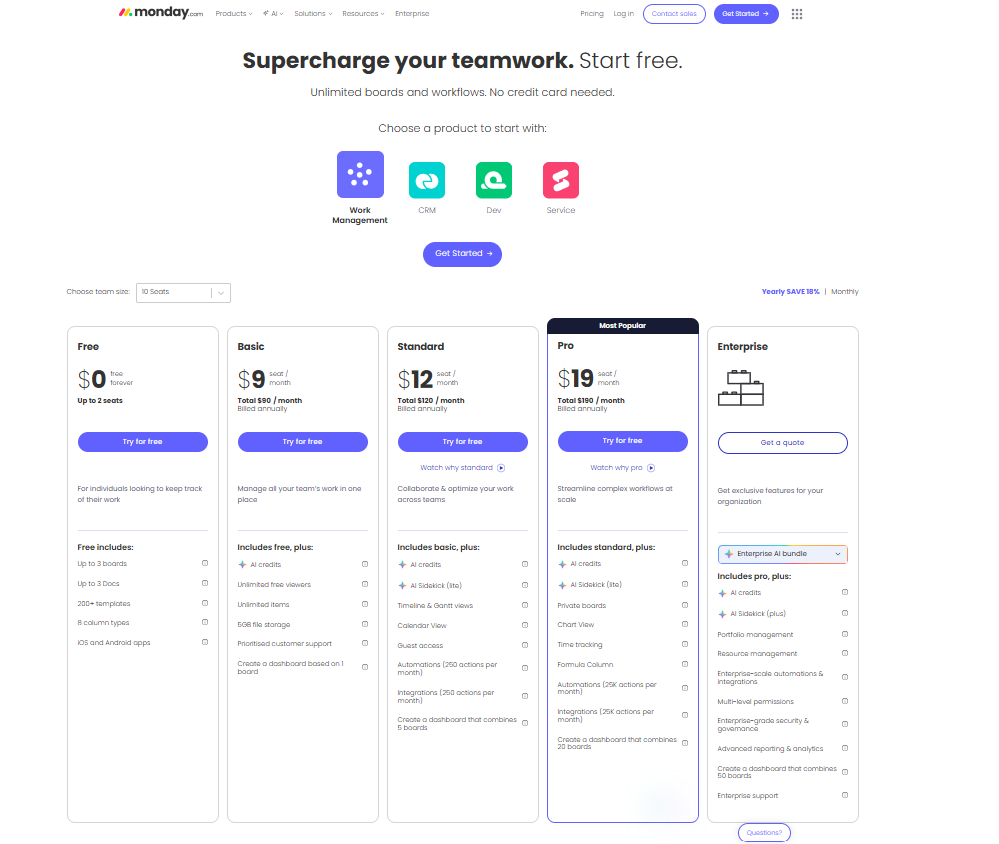
Monday.com Pricing Plans
Monday.com offers different pricing options.
Free Plan
This plan is good for individuals or small groups.
Features included:
- Limited users
- Basic boards
- Basic task tracking
- Basic Plan
This is suitable for small businesses.
Features included:
- Unlimited items
- File storages
- Dashboard access
- Priority support
- Standard Plan
This is commonly used by growing companies.
Features included:
- Timeline view
- Calendar view
- Guest access
- Automations
- Pro Plan
This is perfect for individuals who want advanced features.
Features included:
- Time tracking
- Formula columns
- Private boards
- More automation
- Enterprise Plan
This is the best option for big companies.
Features included:
- More security
- Multi-level permissions
- Enterprise-grade support
- Audit logs
These prices may change in time due to company updates.
Who Should Use Monday.com?
Many professionals can find value in using Monday.com.
Freelancers
Freelancers can schedule their deadlines, clients, and content creation process.
Small Businesses
Small businesses can control their operations and employee activities.
Marketing Teams
Marketing teams can create marketing campaigns and produce content.
Software Developers
Developers can track sprints and debugging processes.
Sales Teams
Sales departments can keep tabs on pipelines and lead generation.
Human Resources Department
Human resources teams can coordinate recruitment and training processes.
Large Enterprises
Enterprises can coordinate several departments and their workflow.
Monday.com for Project Management
One of the best things about Monday.com is project management.
Project managers can:
- Allocate tasks
- Set deadlines
- Coordinate timeline
- Monitor progress
- Control resources
- Measure productivity
The platform helps to simplify any project.
Teams can prevent delays by controlling all stages.
Monday.com for Marketing Teams
Marketing teams will find the use of Monday.com useful since marketing campaigns consist of numerous components.
Marketing use cases include:
- Social media posting calendar
- Content creation schedule
- Email marketing campaigns
- Ad campaign coordination
- Influencer collaboration
- SEO campaign management
Marketing teams can cooperate effectively.
Monday.com for Sales Teams
Sales teams can employ Monday.com as a CRM tool.
Sales teams can utilize the following features:
- Lead tracking
- Pipeline management
- Contact list
- Forecasting sales
- Activity tracking
Sales representatives can organize potential customers.
Managers can observe team performance.
Monday.com vs Other Project Management Tools
Several software applications that offer project management solutions.
Below you can see how Monday.com stacks up against its competitors.
Monday.com vs. Trello
Trello is easier to use but less flexible.
Monday.com offers a wider range of workflow features.
Monday.com vs. Asana
Asana concentrates on task tracking.
Monday.com allows for more customization.
Monday.com vs. ClickUp
ClickUp offers a large set of features, but it’s overwhelming.
Monday.com offers an easier-to-navigate solution.
Monday.com vs. Notion
Notion excels at documentation tasks.
Monday.com works better as a structured process.
Adventages of Monday.com
There are some clear benefits to using Monday.com.
User-Friendly Design
The program is simple to navigate.
Collaboration Capabilities
Collaboration between teams is facilitated.
Customizability
Users can create workflows according to their needs.
Various Integrations
Works with other applications.
Reporting Features
Provides useful reporting data.
Disadvantages of Monday.com
Any application will have some disadvantages.
Expensive for Larger Teams
Pricing becomes higher with more members.
Complex Automation Features
Automation requires time to understand.
Limited Features of Free Versions
Limited free plan functionality.
Too Much Choice for Novice Users
May overwhelm newcomers.
Why Businesses Choose Monday.com
There are reasons why businesses prefer Monday.com.
Businesses avoid using several applications to monitor projects, communicate, create spreadsheets, and report data. They can use all functions on one application.
The application simplifies management and boosts productivity.
Businesses reduce operational costs by automating activities.
Managers gain insights into business operations.
Real-Life Use Cases of Monday.com
Marketing Agency
A marketing agency can use Monday.com to monitor:
- Projects for clients
- Production of content
- Deadlines for campaigns
- Tasks assigned to team members
- E-Commerce Business
E-commerce websites can monitor:
- Management of inventory
- Launch of products
- Order handling
- Communication with vendors
- Startup Business
New businesses can track:
- Development of products
- Communication with investors
- Recruitment process
- Financial planning
- Education Teams
Educational institutions can organize:
- Timetables for courses
- Students’ projects
- Collaborations among teachers
Monday.com Security and Reliability
Information security is vital for businesses.
Monday.com provides:
- Encryption of data
- Permissions for users
- Multi-factor authentication
- Cloud storage
- Enterprise-level security
Businesses can securely handle confidential information.
Tips for Getting Started with Monday.com
Here are some tips for new users of Monday.com.
Start With Templates
Using templates saves time.
Organize Your Boards
Do not clutter your board with unnecessary columns.
Use Automations
Automations streamline routine tasks.
Invite Team Members
Collaboration enhances workflows.
Monitor Dashboards
Analyse dashboard metrics.
Monday.com for Remote Teams
Working from home has become commonplace.
Monday.com accommodates remote workers well.
Some of its key features for remote work include:
- Cloud-based access
- App for mobile devices
- Notifications
- Shared spaces for collaboration
- Real-time collaboration capabilities
Working remotely won’t pose problems for team members.
Is Monday.com a Good Investment?
For organizations that require organization and automation of work, investing in Monday.com is worth considering.
The product offers tools for managing projects, collaborating, reporting, and communicating.
Its flexible nature enables it to be used in almost any industry.
Although Monday.com is relatively costly, many users believe it is worthwhile due to the productivity benefits.
More info join our youtube channel
Conclusion
Monday.com is among the most advanced work management platforms in existence.
The tool helps organizations optimize teamwork, automate and organize processes.
No matter what type of organization, be it a startup, a marketing department or even an enterprise, Monday.com is the platform to use.
From its visually appealing interface to customizable dashboards, integrations and automation, Monday.com is one of the best project management platforms.
For those looking for a highly flexible and scalable productivity platform, Monday.com still ranks among the best options in 2026.
Correctly implemented, Monday.com can help improve efficiency and reduce the confusion surrounding business processes.